
Add new and missing apps to Mantle
While Mantle automatically imports most of your apps, you might notice some missing from your dashboard or need to add newly created apps. Let’s walk through why this happens and how to add them.
What gets imported automatically?
When you first connect, Mantle pulls in all apps that have processed real-money transactions through Shopify Billing. Head to the Apps section to see what was imported.
Why might apps be missing?
There are a few common scenarios where apps don’t get imported automatically:
Non-standard billing apps
Apps with permission to bill outside Shopify Billing
Custom billing arrangements or exemptions
Pre-revenue apps
Development or testing apps
Newly approved apps
Apps awaiting App Store approval
Newly created apps
Apps created after your initial Mantle setup
Apps that haven’t had their first billing transaction yet
Adding your new and missing apps
Found an app that’s not there or need to add a new one? No worries – adding it is straightforward:
Navigate to Apps in the left sidebar of your Mantle dashboard
Click Add app in the top right corner
You’ll need two key pieces of information:
App ID
API Key (this is actually your Client ID)
Finding your credentials
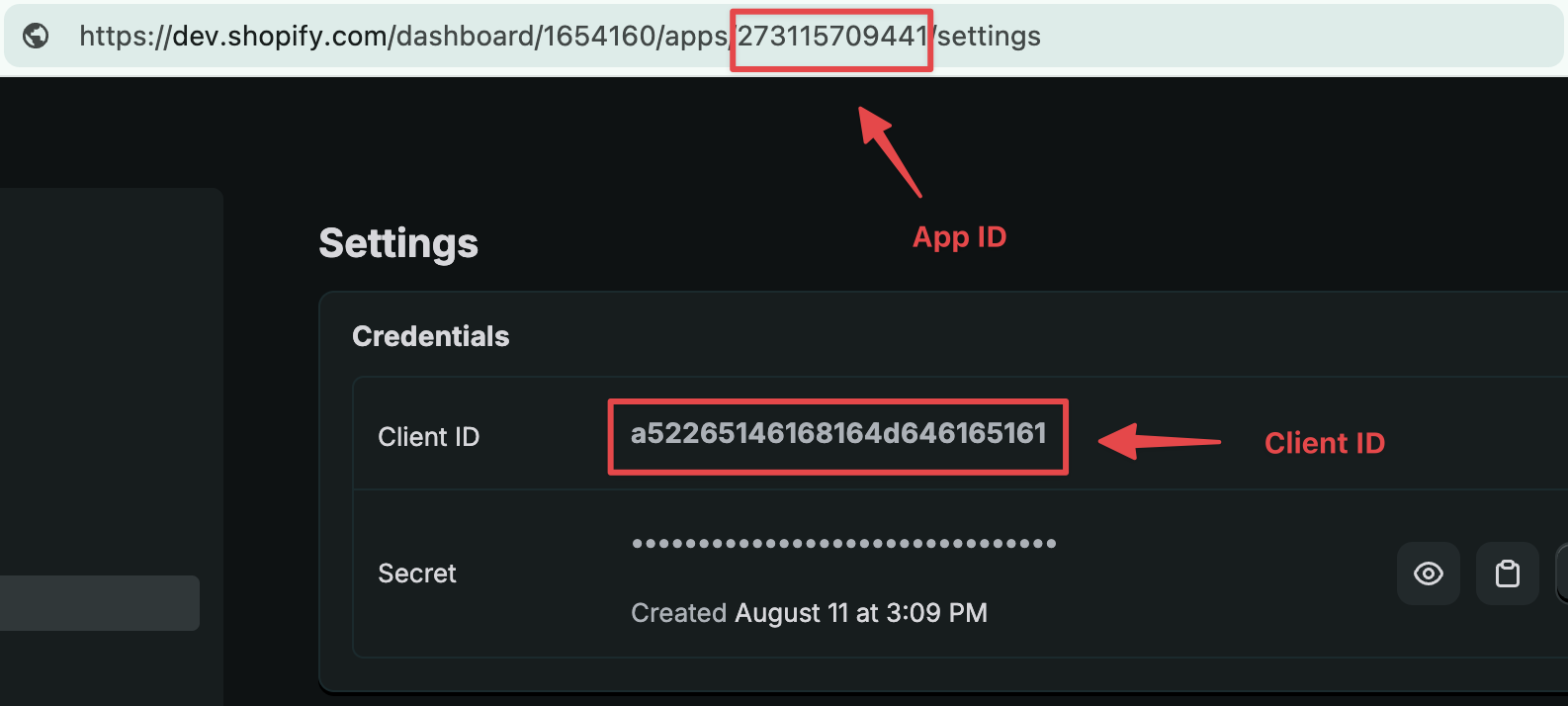
Go to your app’s Overview page in the Shopify Dev Dashboard
For the App ID: Look in your browser’s URL bar.
For the API Key: Find the Client ID field on the overview page:
Adding credentials in Mantle
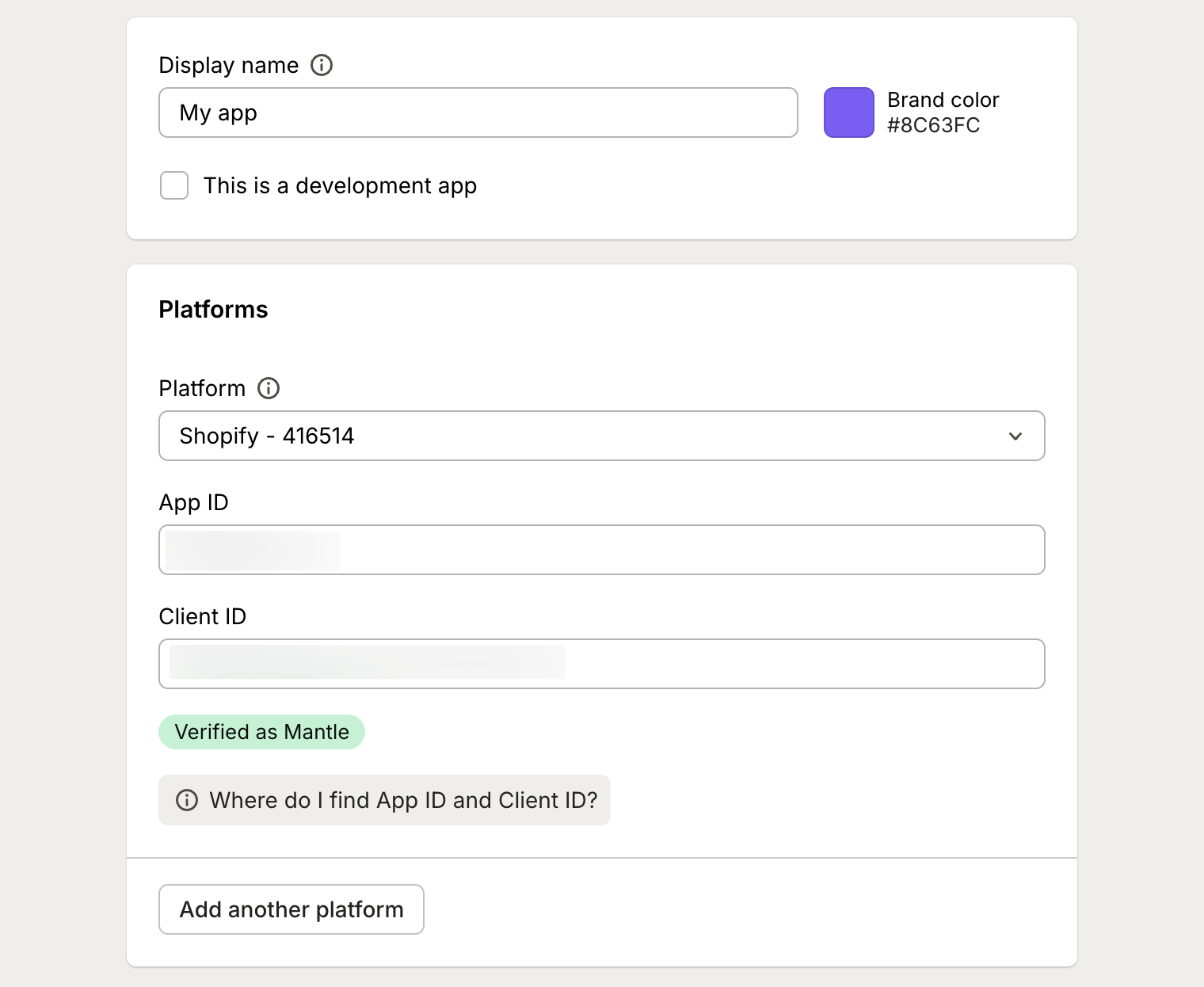
Once you have your App ID and Client ID, enter them in Mantle’s Add App form:
What happens next?
After hitting Save, Mantle starts syncing your app’s data. The sync time varies:
Small apps: A few minutes
Apps with years of history: Several hours
Don’t worry about watching it – go explore other parts of Mantle and check back later.