
Understanding the partnership dashboard
Once you’ve connected with a partner, the partnership dashboard becomes your command center for identifying opportunities, tracking collaboration performance, and managing your shared customer relationships. This guide will help you navigate the dashboard and leverage its insights effectively.
Dashboard overview
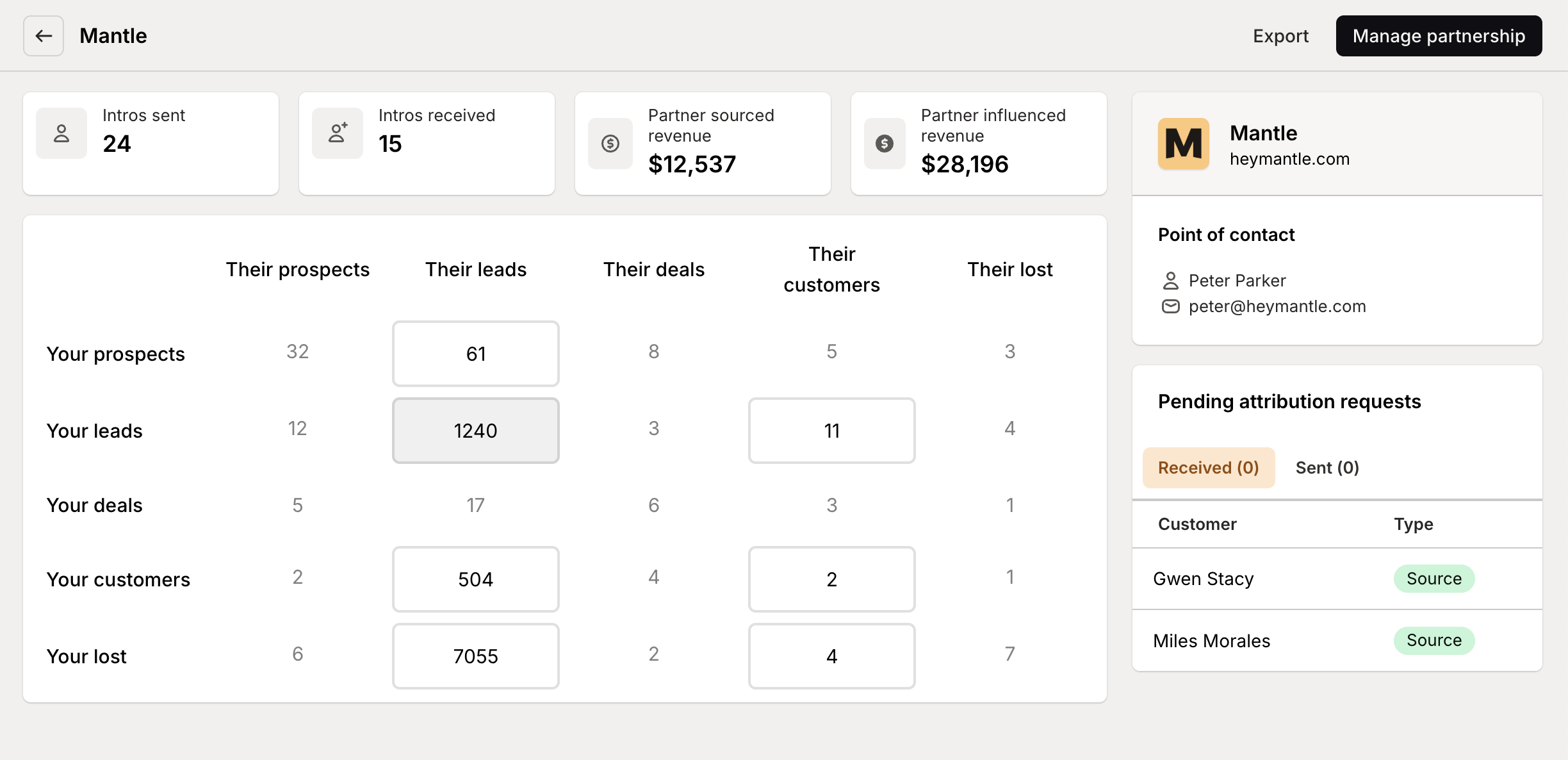
To access a specific partnership dashboard:
Navigate to the Partnerships tab in the left menu
Click on the partner name in your list of connected partnerships
The partnership dashboard is divided into several key sections:
Partner Information: Details about your partner, including contact information
Lead Matrix: A visualization of customer overlap across lifecycle stages
Customer List: Detailed view of all customers shared with this partner
Attribution Requests: Tracking of partnership-driven customer acquisitions
Shared Assets: Marketing materials and resources shared between partners
Each section provides specific insights and actions to help you maximize the value of your partnership.
The lead matrix
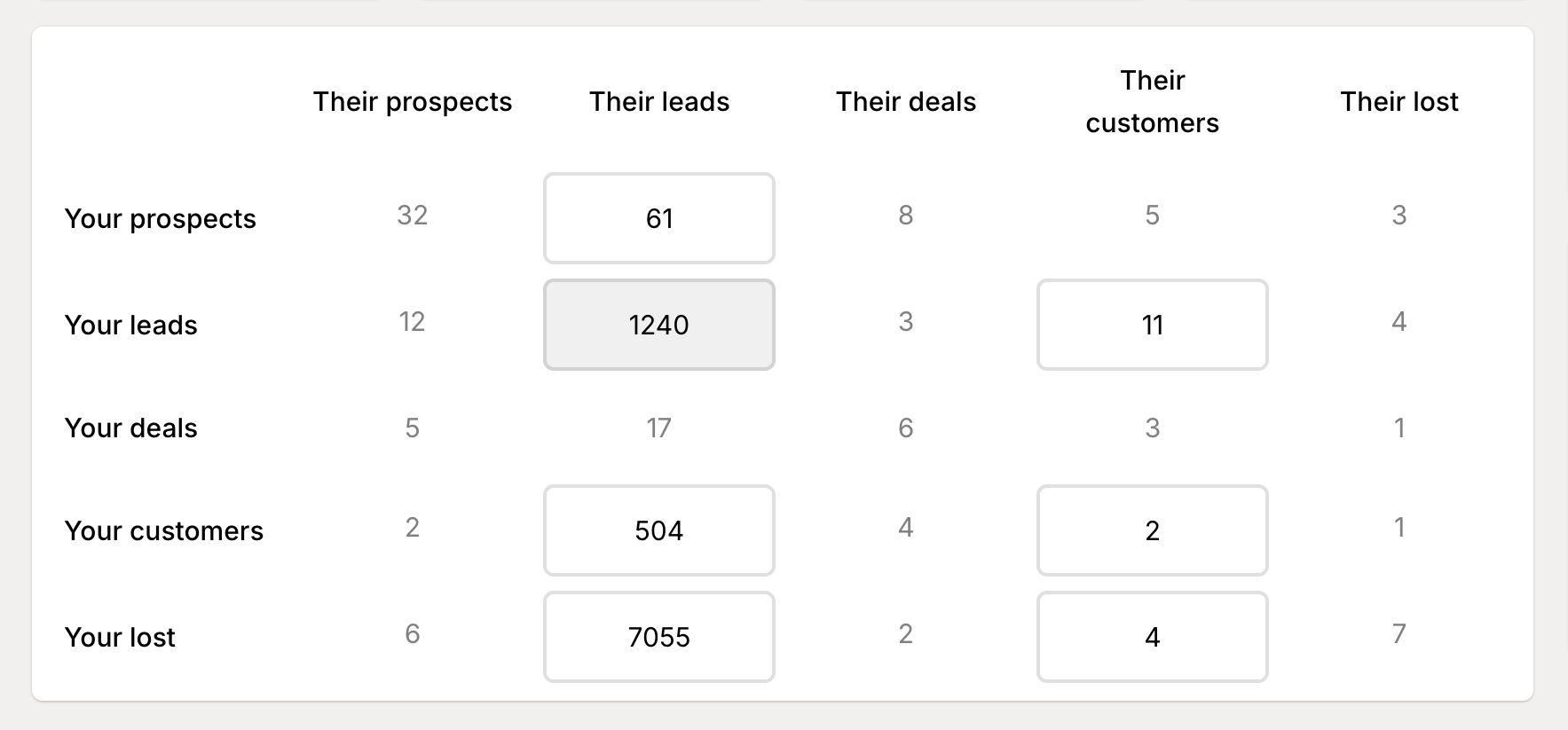
The lead matrix is the central visualization of your partnership, showing how customers are distributed across different lifecycle stages for both you and your partner:
Understanding the matrix
The matrix is organized as a grid:
Rows: Your customer lifecycle stages (Prospect, Lead, Deal, Customer, etc.)
Columns: Your partner’s lifecycle stages
Cells: The number of shared customers in each combination of stages
Each cell shows you how many customers overlap between specific lifecycle stages. For example, the cell where your “Prospect” row meets your partner’s “Customer” column shows customers who are prospects in your system but active customers for your partner.
Interpreting the data
Different patterns in the matrix suggest different partnership opportunities:
Your Customers / Partner’s Prospects: Potential for introductions or co-marketing
Your Prospects / Partner’s Customers: Opportunities for referrals or integration-based selling
Both Customer: Ideal for co-marketing, integration enhancement, or customer success collaboration
Diagonal (matching stages): Shows alignment in how both organizations view these customers
Some lifecycle stages may appear empty if your partner has chosen not to share that category (e.g., Lost/Churned customers).
Filtering the customer list
Clicking on any cell in the matrix will automatically filter the customer list below to show only customers in that specific combination of lifecycle stages, making it easy to act on specific segments of your shared customer base.
Exploring customer overlap
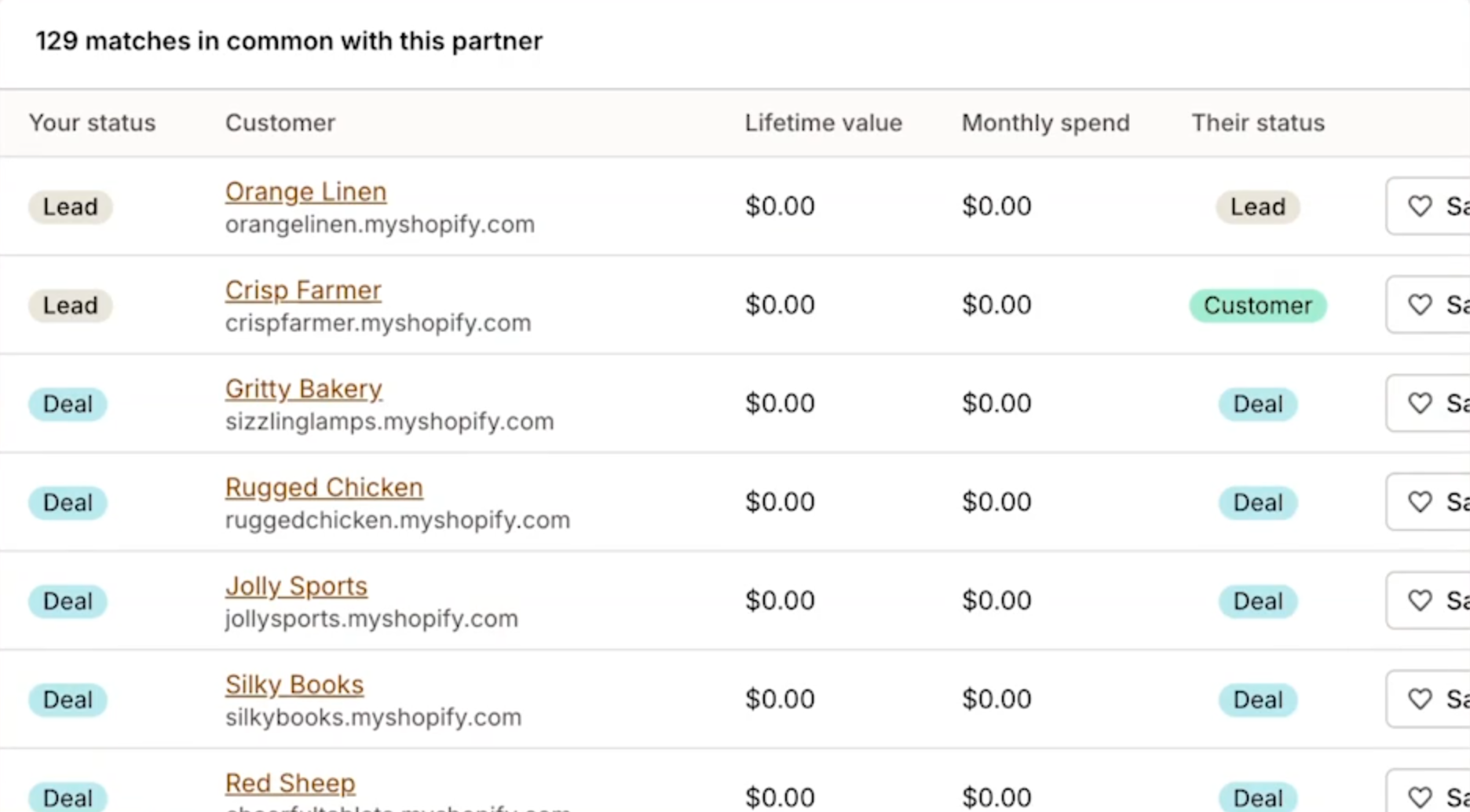
Below the lead matrix, you’ll find a detailed list of all customers shared between you and your partner (based on your permission settings):
List features
Filtering: Narrow down customers by clicking matrix cells or using search
Targeting: Mark specific customers as targets for focused follow-up
Customer Details: Click any customer to see their complete relationship with both partners
Customer timeline
When you click on a specific customer in the list, you’ll see a timeline showing:
When the customer first engaged with each partner
App installation and subscription events
Key milestones in the customer relationship
Customer timeline
This timeline helps you understand the customer’s journey across both your business and your partner’s, providing context for collaboration opportunities.
Managing attribution requests
The attribution section helps track customer acquisitions that resulted from partnership activities:
Requesting attribution
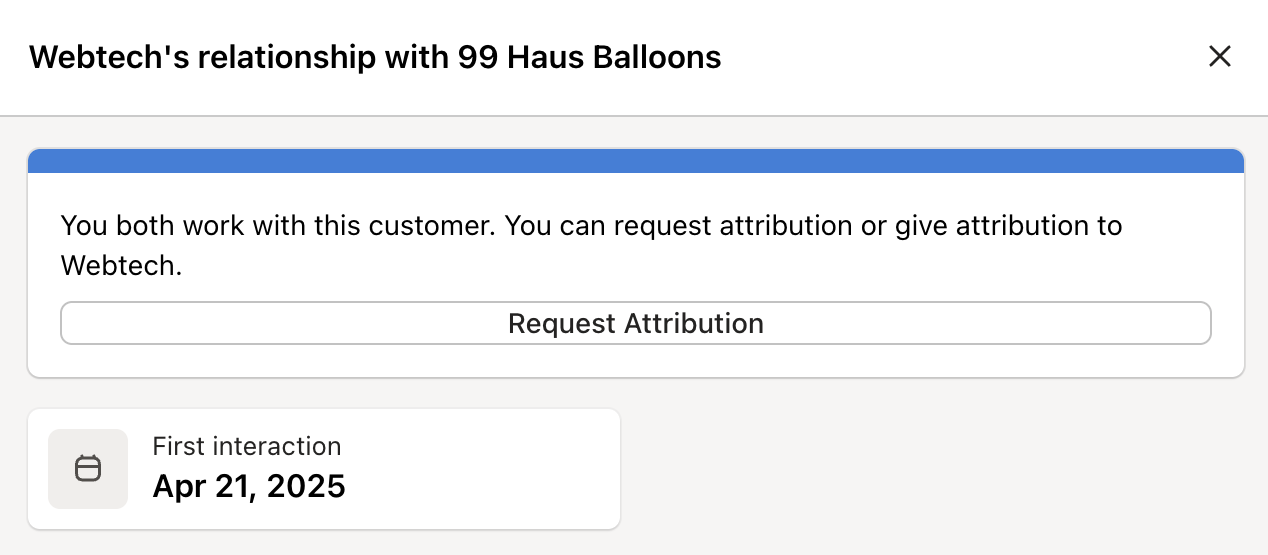
If you’ve helped your partner acquire a customer:
Find the customer in the shared customer list
Click on the customer to view their details
Click Request Attribution
Provide details about how you influenced the acquisition
Submit your request
Responding to requests
When your partner requests attribution for helping acquire one of your customers:
Navigate to the Attribution Requests section
Review incoming requests in the “Received” tab
Click on a specific request to see details
Choose to Approve or Deny the request
Optionally add comments to explain your decision
Approved attributions are tracked in your partnership metrics, helping to quantify the value of your collaboration.
Reviewing shared assets
The assets section displays marketing materials and resources shared between you and your partner:
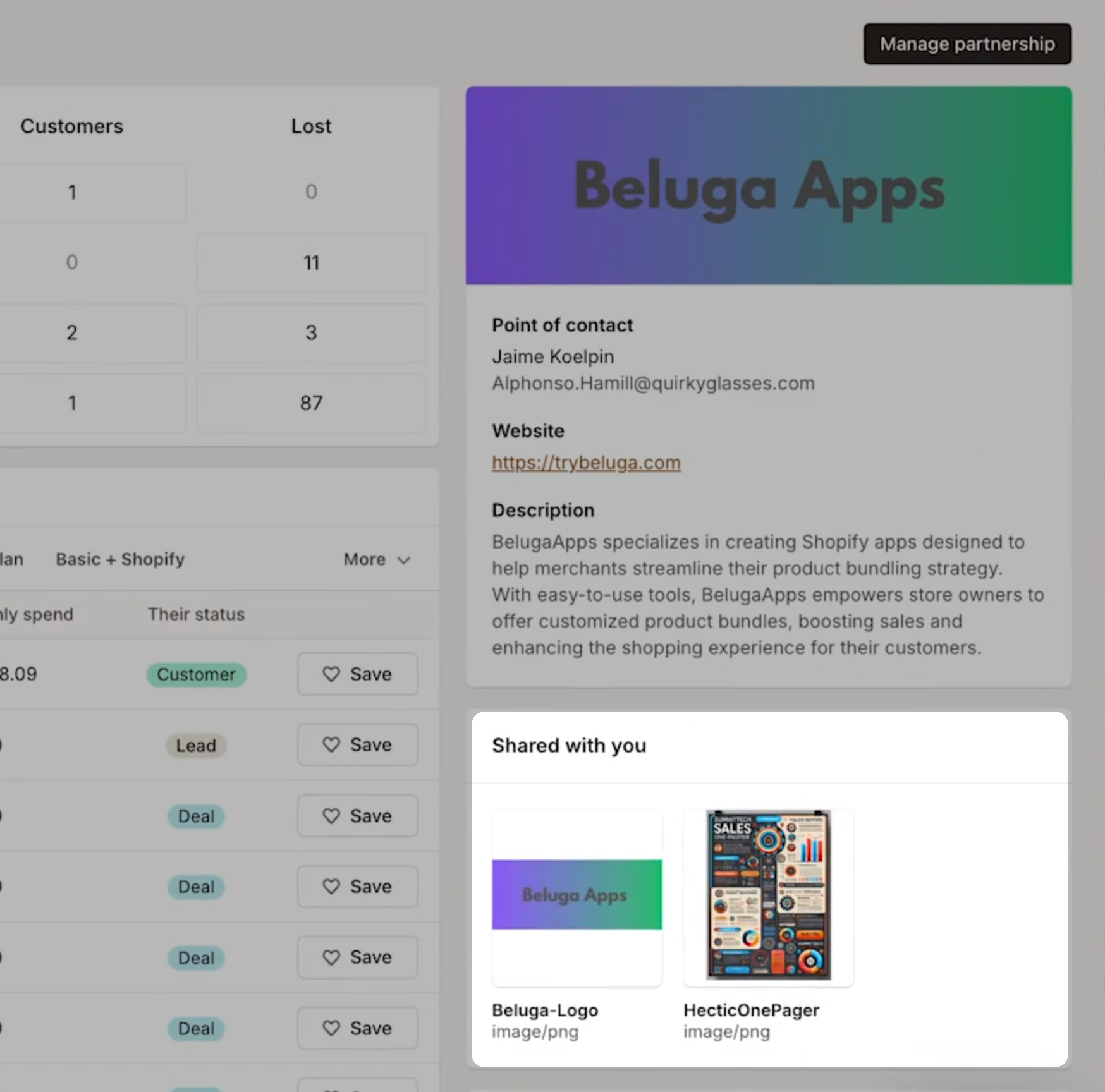
Assets from partner
This section shows materials your partner has shared with you, which might include:
Product information sheets
Co-marketing guidelines
Integration documentation
Case studies
Assets shared with partner
This section shows materials you’ve shared with this specific partner.
Sharing additional assets
You can share more assets with your partner at any time:
Click Share Assets
Upload new files or select from existing assets
Add descriptions if needed
Click Share to make them available
Taking action on insights
The partnership dashboard is designed to help you identify and act on collaboration opportunities. Here are some effective ways to leverage the insights it provides:
Co-marketing opportunities
Identify customers marked as “Customers” for both organizations for case studies
Focus on your “Prospects” who are your partner’s “Customers” for targeted campaigns
Create joint webinars or content featuring mutual customers
Sales collaboration
Coordinate outreach to customers in complementary lifecycle stages
Develop joint proposals for shared prospects or leads
Create integration-focused offers for customers only using one solution
Customer success
Identify at-risk customers for collaborative retention efforts
Coordinate onboarding for new shared customers
Develop success metrics that reflect the value of the integrated solution
Measuring partnership ROI
Use the dashboard metrics to measure partnership value:
Track the number of successful attributions over time
Monitor movement of customers through the lifecycle stages
Measure conversion rates for referred prospects
The partnership dashboard transforms partnership management from an ad-hoc, relationship-based activity to a data-driven, strategic collaboration. By regularly reviewing and acting on the insights it provides, you can maximize the value of your partnerships and drive growth for both organizations.
For information on optimizing your partnership settings over time, see our guide on Partnership Best Practices.