

Trial configuration
Trials help you showcase your app’s value while building trust with potential customers. Mantle gives you flexible control over how trials work, from global defaults to plan-specific configurations.
Understanding trials
When someone installs your app, you can offer them a trial period to explore your features before being charged. Before setting up your trials, you’ll need to decide when they should begin and how long they should last.
Trial start behavior
There are two ways trials can begin:
On install: Trial starts as soon as the merchant installs your app
Pros: Immediate access to features
Cons: Trial time might be wasted if merchant isn’t ready to explore
On subscription: Trial starts when merchant selects a plan
Pros: Trial time used more effectively
Cons: Extra step before merchant can start testing
Choose based on your app’s complexity and how much setup time merchants need. For more details about configuring trial settings accurately, check out our trial configuration guide.
Configuring plan trials
For each plan, you can customize:
Trial duration (e.g., 7 days, 14 days, 30 days)
Whether the plan offers trials at all
When trials start (on install or subscription)
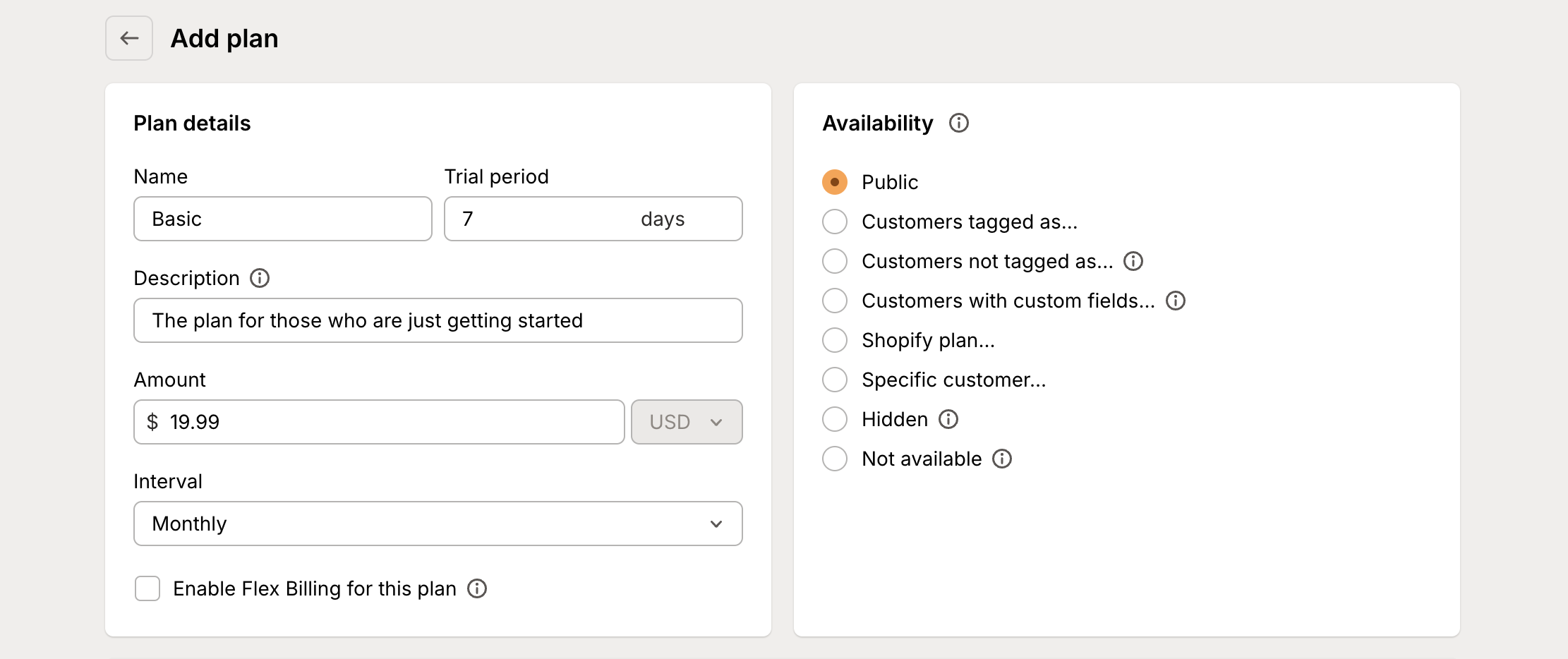
For example, you might configure:
7-day trial for basic plans
14-day trial for pro plans
No trial for enterprise plans (demo instead)
Pro tips
A few things to keep in mind when configuring trials:
Match trial length to your app’s learning curve
Consider your onboarding process when choosing trial start behavior
Monitor trial conversion rates to optimize your settings
Use the Trials report to track performance
Remember: Well-designed trials give merchants enough time to discover value while maintaining urgency to convert. Focus on making it easy for merchants to experience your app’s benefits during their trial period.