

Notifications
Never miss a beat with your app again! Set up notifications to get instant alerts when key events happen – new installs, subscription changes, reviews, and more sent straight to Slack, Discord, or email.
Here’s what you can track:
Activity notifications: New installs, uninstalls, reviews, and shop status changes
Subscription notifications: Plan changes, upgrades, downgrades, and billing events
Billing notifications: Payment issues, refunds, and billing problems
Other notifications: Timeline comments and platform changes
Getting started with notifications
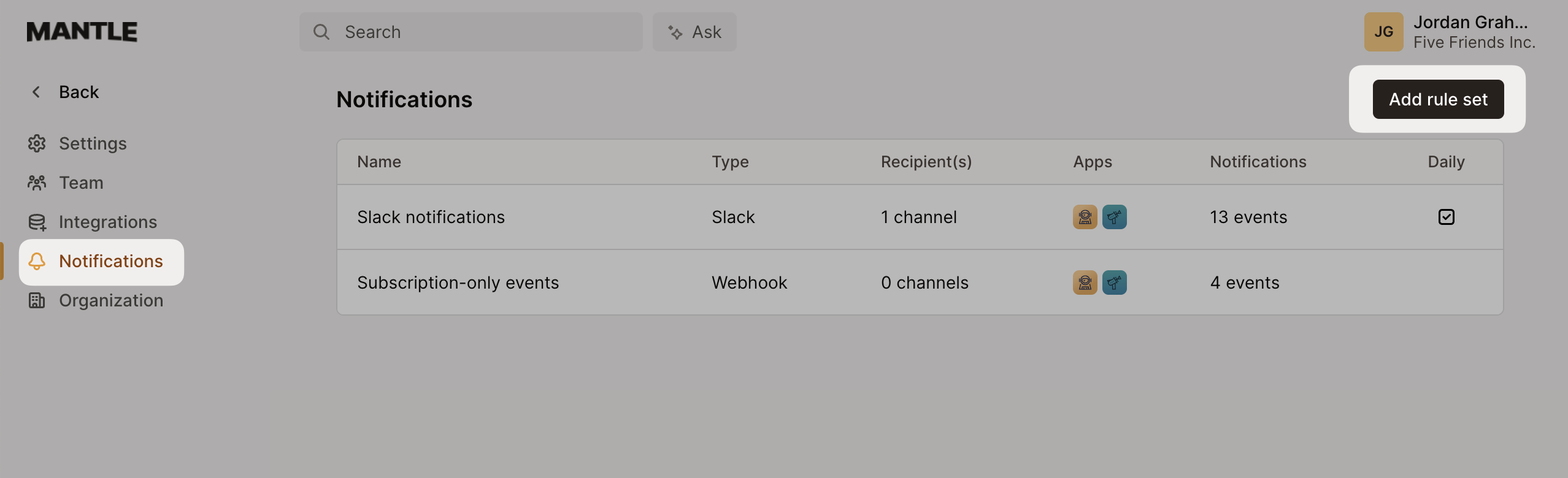
Setting up notifications is simple – you’ll create “rule sets” that define what events trigger alerts and where they get sent.
Head to Settings > Notifications and click Add rule set to get started:
What you can do with rule sets
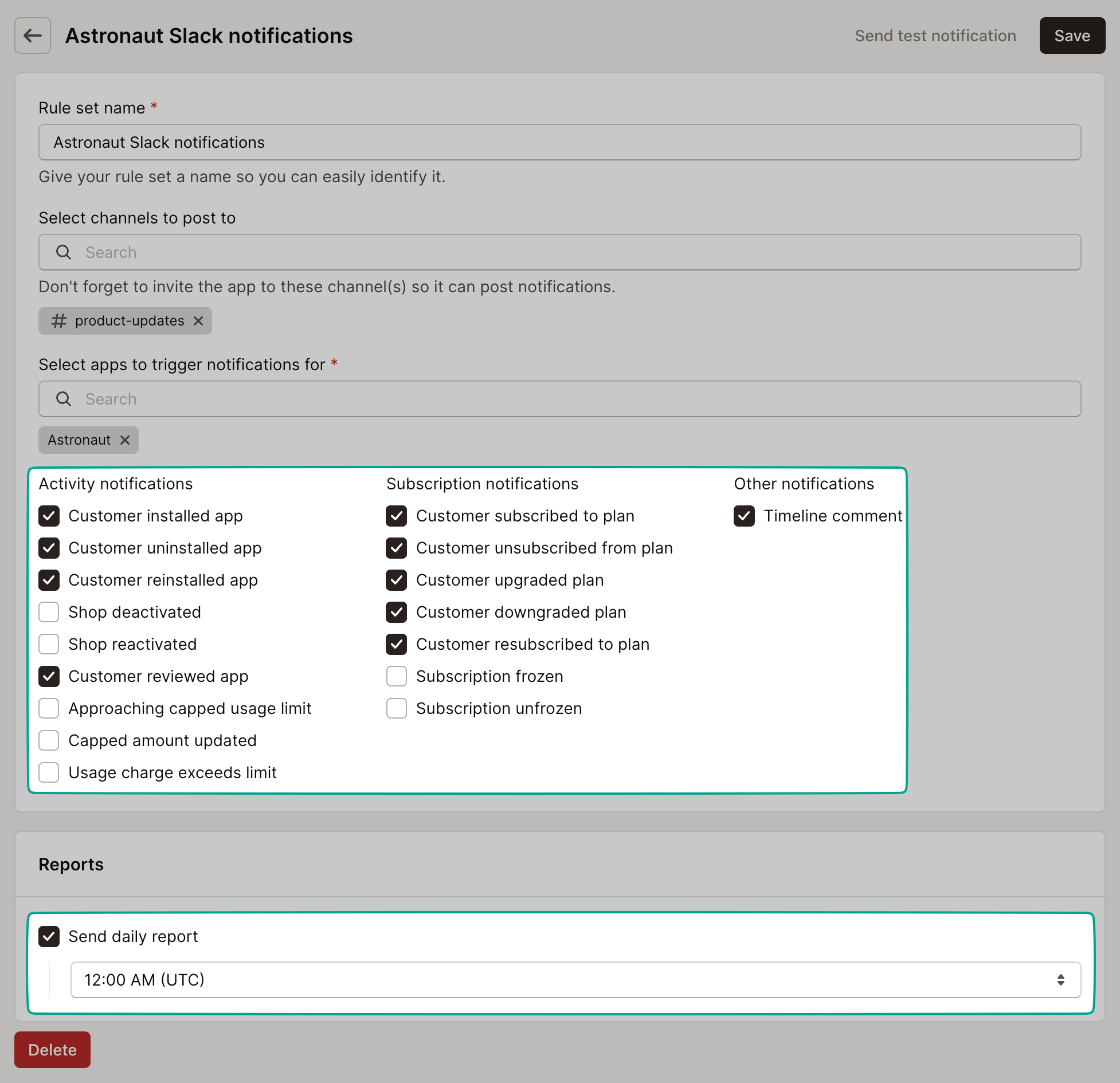
Each rule set lets you:
Pick your apps: Choose which apps should send notifications
Select events: Pick from dozens of notification types
Choose destinations: Send to Slack, Discord, email, or webhooks
Filter by usage events: Get alerts based on custom app events
Schedule reports: Set up daily summaries
Want different events going to different places? No problem – create multiple rule sets with different configurations.
Where notifications can go
Slack
Connect your Slack workspace to get notifications right in your team channels. You’ll get rich formatting with customer details, plan info, and quick action buttons.
What you’ll get alerts for | Specific events |
|---|---|
Activity notifications | Customer installed/uninstalled/reinstalled app |
Shop deactivated/reactivated | |
Customer reviewed app | |
Approaching/updated capped usage limit | |
Usage charge exceeds limit | |
Subscription notifications | Customer subscribed/unsubscribed to plan |
Plan changes (upgrades, downgrades, resubscriptions) | |
Subscription frozen/unfrozen | |
Payment method added/removed | |
Trial expired/extended | |
Billing notifications | One-time charge activated |
Customer refunded | |
Payment failed | |
Payment action required | |
Other notifications | Comment added to customer timeline |
Platform plan changed |
Discord
Prefer Discord? Connect your server to get notifications in dedicated channels with embedded messages showing customer info and relevant details.
All the same notification types that work with Slack work with Discord too.
Webhooks
Want maximum flexibility? Webhooks give you the most comprehensive coverage, including all the events above plus Mantle Affiliates activity and custom usage events.
Security tip: Set up a webhook secret to verify that notifications are actually coming from Mantle. We’ll include an HMAC signature in the request headers.
Category | Events |
|---|---|
Activity notifications | All events listed above for Slack/Discord |
Subscription notifications | All events listed above for Slack/Discord |
Billing notifications | All events listed above for Slack/Discord |
Affiliate notifications | Affiliate requested to join a program |
Affiliate join request approved/denied | |
Affiliate joined a program | |
Affiliate referred a customer | |
Affiliate requested referral | |
Usage events | Custom usage events based on your configuration |
Custom usage events
Want to track app-specific activities? You can set up notifications based on custom usage events you send to Mantle. This is perfect for things like:
When customers hit certain usage thresholds
When specific features get used
When important app events happen
Usage event notifications work with webhooks and can be filtered by event name and properties.
Scheduled reports
Don’t want to be pinged for every single event? Set up daily scheduled reports instead to get yesterday’s activity summary sent to email addresses or Slack channels.
Daily reports give you aggregated insights about your app’s performance without the constant notifications.
Ready to stay in the loop? Head to Settings > Notifications and set up your first rule set!